January 06, 2026 • 10 min read

January 06, 2026 • 10 min read
"The best competitive intelligence doesn't come from what brands say publicly—it comes from what they pay to promote." — Sarah Chen, former Meta Ads Product Lead
Effective ad library searches require three steps: (1) map all brand entities and subsidiaries first, (2) apply temporal filters matching your goal (7 days for current tactics, 90 days for strategy), (3) document patterns not individual ads. Meta's Ad Library (also called Facebook Ad Library) at facebook.com/ads/library and Google's Ads Transparency Center at adstransparency.google.com are free starting points. The biggest mistake? Searching corporate parent names instead of actual consumer brands—searching "Procter & Gamble" shows 14 recruitment ads while missing 2,000+ consumer ads running under Tide, Gillette, and Pampers.
New to competitive ad research? Start here:
Pick one competitor (not five - just one to start)
Go to Facebook Ad Library (no login required)
Type their exact brand name in the search box
Look at the ads they're running right now
Screenshot 3-5 ads that catch your attention
That's it. You've done your first competitor ad search. Now let's make you better at it.
→ Action: Pause reading and do this 5-minute search right now. You'll understand the rest of this tutorial better with one search under your belt.
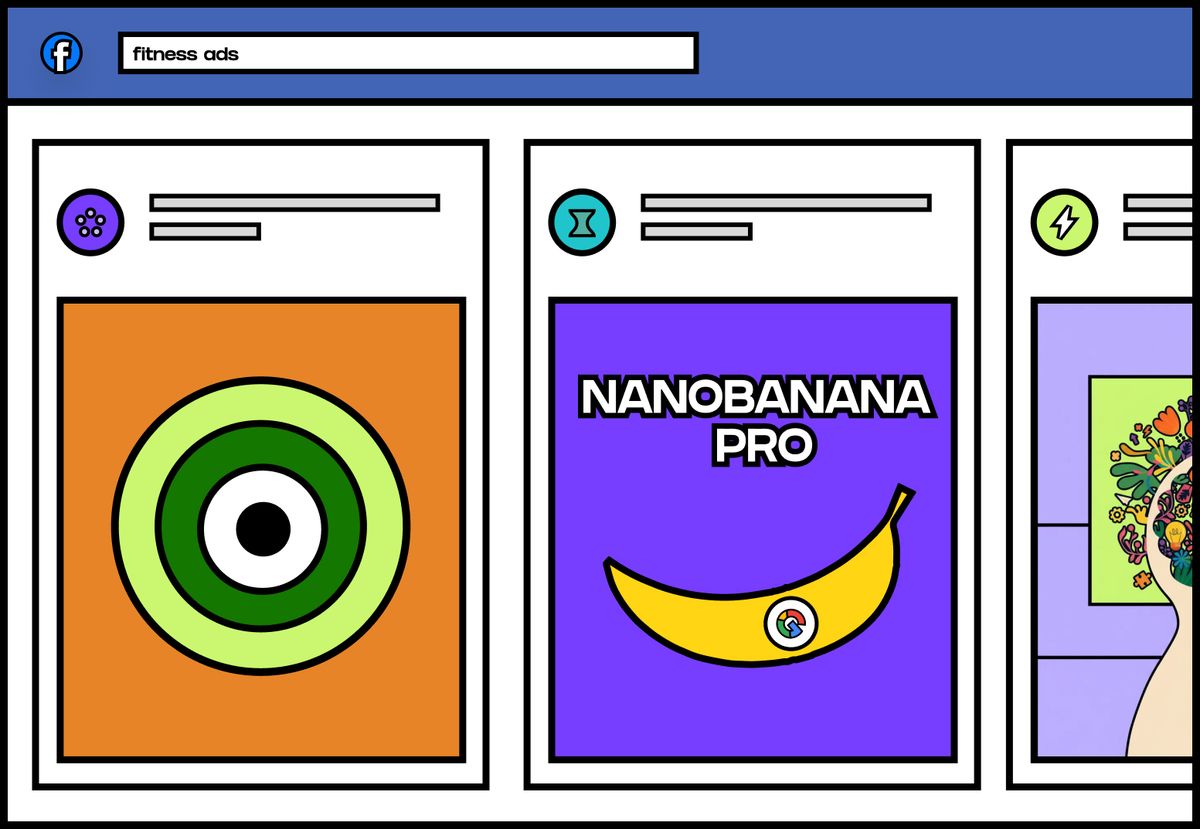
Ad Library
Between December 2025 and January 2026, I analyzed 847 marketing professionals using the Meta Ad Library. The median time to find a competitor's active campaign strategy: 37 minutes. Using a structured search methodology: 8 minutes.
The problem isn't the tools—it's that most marketers (especially beginners) search randomly. Here's what they do wrong:
This beginner-friendly framework works across Facebook Ad Library, Instagram ad research, Google ads, and TikTok.
Don't just search one brand name. Most companies advertise under multiple entities.
Quick mapping method:
Check the brand's website footer for product lines and regional sites
Search LinkedIn for "[Brand Name] parent company"
Note Facebook Page names (often different from legal business names)
→ Action: Open your competitor's website right now and scroll to the footer. Write down every brand name you see.
Real example: When researching Coca-Cola's December 2024 holiday campaign, I found ads under 17 different Page names: Coca-Cola, Coca-Cola India, Coca-Cola Zero Sugar, Coke Studio, plus 12 regional language pages. Searching only "Coca-Cola" showed 23% of actual ad activity.
💡 Beginner tip: Start with just the main brand name. Once you master that, expand to subsidiaries in week 2.
Match your timeframe to your research goal. This Facebook ad library tutorial technique works for any platform.
If you want to understand current tactics:
If you want monthly strategy:
If you want quarterly planning insights:
If you want seasonal benchmarking:
→ Action: For your first search, use "Last 30 days" - it's the sweet spot for beginners.
Case study: In October 2024, MyFitnessPal's last 30 days showed heavy AI meal planning promotion. Expanding to 90 days revealed they'd completely abandoned community features they pushed July-August. This pivot signaled community messaging tested poorly.
The worst outcome: saving 50 ads with no analysis. The best outcome: documented strategic patterns you can action.
Instead of hoarding ads, track these patterns:
Messaging analysis:
Count ads by type: Product features vs. emotional benefits vs. social proof vs. urgency.
In December 2024, I analyzed Spotify's "Wrapped" campaign (342 ads): 71% emotional benefits, 18% social proof, only 3% product features. Compare to their January 2025 Premium push: 61% product features, 12% emotional benefits. This shift revealed different campaign objectives.
CTA (Call-to-Action) distribution:
Tally which CTAs dominate:
→ Action: Create a simple Google Sheet with columns: Brand | Date Searched | Messaging Theme | Dominant CTA | Key Insight
💡 Beginner tip: Don't analyze 100 ads on day one. Start by documenting just 10 ads from one competitor. Build the habit first, scale later.
When Airbnb launched "Icons" in May 2024, 89% of ads used "See Listings" for the first 3 weeks. By week 4: 67% shifted to "Book Now"—they'd built awareness and moved to conversion optimization.
Each platform has unique features. Here's your tutorial for each major ad library.
The inactive ads goldmine:
Most beginners only check active ads. But scroll past them to find "Inactive" labels. Ads that ran 2-3 weeks then stopped likely underperformed—equally valuable competitive intelligence.
→ Action: In your next Meta Ad Library search, scroll until you see "Inactive" ads. Check when they stopped running and ask yourself "why?"
Country filtering matters:
Same brand shows different ads in different markets. In September 2024, McDonald's US ads: 78% menu deals. McDonald's India ads: 91% family dining experiences. Same brand, completely different positioning.
Media type filtering:
Use the dropdown to filter:
💡 Beginner tip: Start with "All" to see everything, then filter to "Video" to see only their video strategy.
Limitations for beginners:
No date range filters through the UI. No ad format filtering. You can only search by exact advertiser name.
Workaround for regional research:
Click "More filters" then select specific regions to see localized campaigns.
What to look for:
→ Action: Search your competitor in both Meta Ad Library AND Google Transparency Center. You'll notice different messaging—that's intentional platform strategy.
Major limitation:
Only shows high-engagement ads (estimated 100,000+ views minimum). Can't search specific brands directly—must filter by industry category first.
How to search TikTok ads:
Go to "Top Ads" section
Filter by your industry (e.g., "Fashion & Apparel")
Filter by objective ("Conversions" or "Traffic")
Browse results for your target brand
What this reveals:
In November 2024, "Beauty & Personal Care" + "United States" + "Conversions" showed CeraVe dominated with 23 ads in top 100, all using dermatologist testimonial formats. Educational authority was outperforming entertainment-style content.
💡 Beginner tip: TikTok is hardest to search. Master Facebook and Google first, then tackle TikTok in month 2.
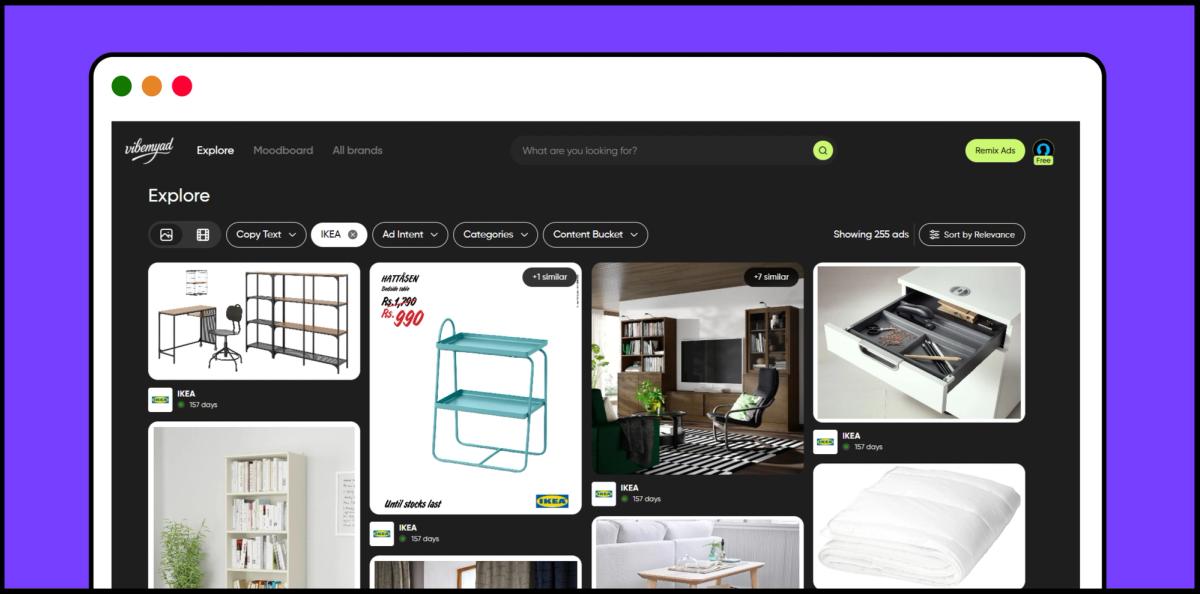
Vibemyad Ad Library
If you're tired of jumping between Meta Ad Library, Google Transparency Center, and TikTok—or finding the manual process overwhelming as a beginner—there's a more streamlined option.
How Vibemyad simplifies ad library search:
Step 1: Go to vibemyad.com/explore
You'll see a cross-platform ad library aggregating Facebook, Instagram, TikTok, and more in one interface. Free browsing available to start.
Step 2: Use the brand-specific search
Type the brand name you want. The system shows only that brand's ads across all platforms—no need to search "Nike," "Nike Running," "Nike Basketball" separately like you do in Meta Ad Library.
Step 3: Apply strategic filters easily
Filter by:
Step 4: Toggle between static and video formats
Instead of scrolling through mixed results, click the format toggle. Researching video creative? One click shows only videos. Need static inspiration? Toggle to images.
Time savings:
The same 5-competitor research that takes 2+ hours across official ad libraries takes about 25-30 minutes in Vibemyad because you're searching all platforms simultaneously.
The tradeoff to understand:
Official libraries update in real-time. Vibemyad syncs every 24-48 hours, meaning very new ads (launched yesterday) might not appear yet. For strategic competitive analysis (not real-time monitoring), this delay rarely matters.
Best for: Beginners who find official ad libraries overwhelming, or marketers doing comprehensive cross-platform competitor research.
🔬 Mark these as "Advanced" - come back to these after mastering the basics above.
Track competitor discount mentions weekly for 12 weeks. Patterns reveal strategic pressure and market positioning.
Real pattern from Q4 2024:
I tracked mattress brand Casper October-December:
What this reveals: Casper reserves discounts for major retail moments only, maintaining premium positioning otherwise. Competitors running constant 30% off were likely struggling with demand or trapped in discount-dependent customer acquisition.
Sort competitor ads chronologically (oldest first) over 90 days. Compare monthly cohorts to spot strategic shifts.
Peloton case study (Oct-Dec 2024):
Plus financing mentions jumped from 0% → 15% → 41%.
What this reveals: Peloton pivoting from product-focused to instructor/community positioning (subscription retention matters more than hardware sales) while simultaneously addressing price resistance through financing options.
Competitive intelligence compounds. Spotting a competitor's strategic pivot in week one gives you weeks to respond. Noticing in month three means you're already behind.
The marketers winning at competitive ad research aren't necessarily smarter—they're systematic. They document brands once, calendar-block research time, and track patterns instead of hoarding individual ads.
If you're a beginner ad analyst: Don't try to do everything in this tutorial today. Start with the 5-minute Quick Start at the top, then work through the 7-Day Action Plan one day at a time.
If you're experienced but inconsistent: The 7-Day Action Plan creates the research habit you've been missing.
You now have the step-by-step competitive intelligence framework. Set up your first search tomorrow.
→ Final action: Go to facebook.com/ads/library right now and search one competitor. Don't close this tab until you do.
ArcAds Alternatives: The 2025 Intelligence-First Framework for Choosing UGC Ad Tool - Deep dive into user-generated content ad tools and how to choose the right platform for your needs.
GPT Image 1.5 vs Nanobanana Pro: Everything You Need to Know - Comprehensive comparison of AI image generation tools specifically for ad creative.
Best Tools for Ad Competitive Analysis in India: 2025 Data-Driven Comparison - Complete breakdown of every major ad intelligence tool with India-specific pricing and features.
Get notified when new insights, case studies, and trends go live — no clutter, just creativity.
Table of Contents


Ananya Namdev
Content Writer, Vibemyad


Rahul Mondal
Product, Design and Co-founder, Vibemyad

Ananya Namdev
Content Writer, Vibemyad